> ## Documentation Index
> Fetch the complete documentation index at: https://docs.kasoftware.com/llms.txt
> Use this file to discover all available pages before exploring further.
# SQL Server Upsert 設定
> 從工作流程中的知行之橋訊息插入或更新 SQL Server 記錄。
export const DbasaUpsertExampleFlow = ({datasource = "the data source", upsertXmlFlow = "dbsa_upsert_flow.png", siteNameShort = "知行之桥"}) => <>
為 Upsert 配置的 {datasource} 端口選擇表格和列後,將端口放置在 {siteNameShort} 工作流程的末尾。下面的螢幕截圖描述了一個範例流程,其中包含一個 CSV 端口、一個 XML Map 端口和一個 {datasource} Upsert 端口:

此範例工作流程中的資料透過以下步驟:
- File 端口從磁碟提取 CSV 檔案並將其放入流程中。
- CSV1 端口將 CSV 檔案轉換為 XML。
- 此資料作為 來源檔案 傳遞給 XML_Map 端口,後者對映到 源 的樹狀結構中。
- 來自 {datasource}_Upsert 端口的資料作為 目的檔案 傳遞給 XML_Map 端口,後者對映到 目標 樹狀結構。
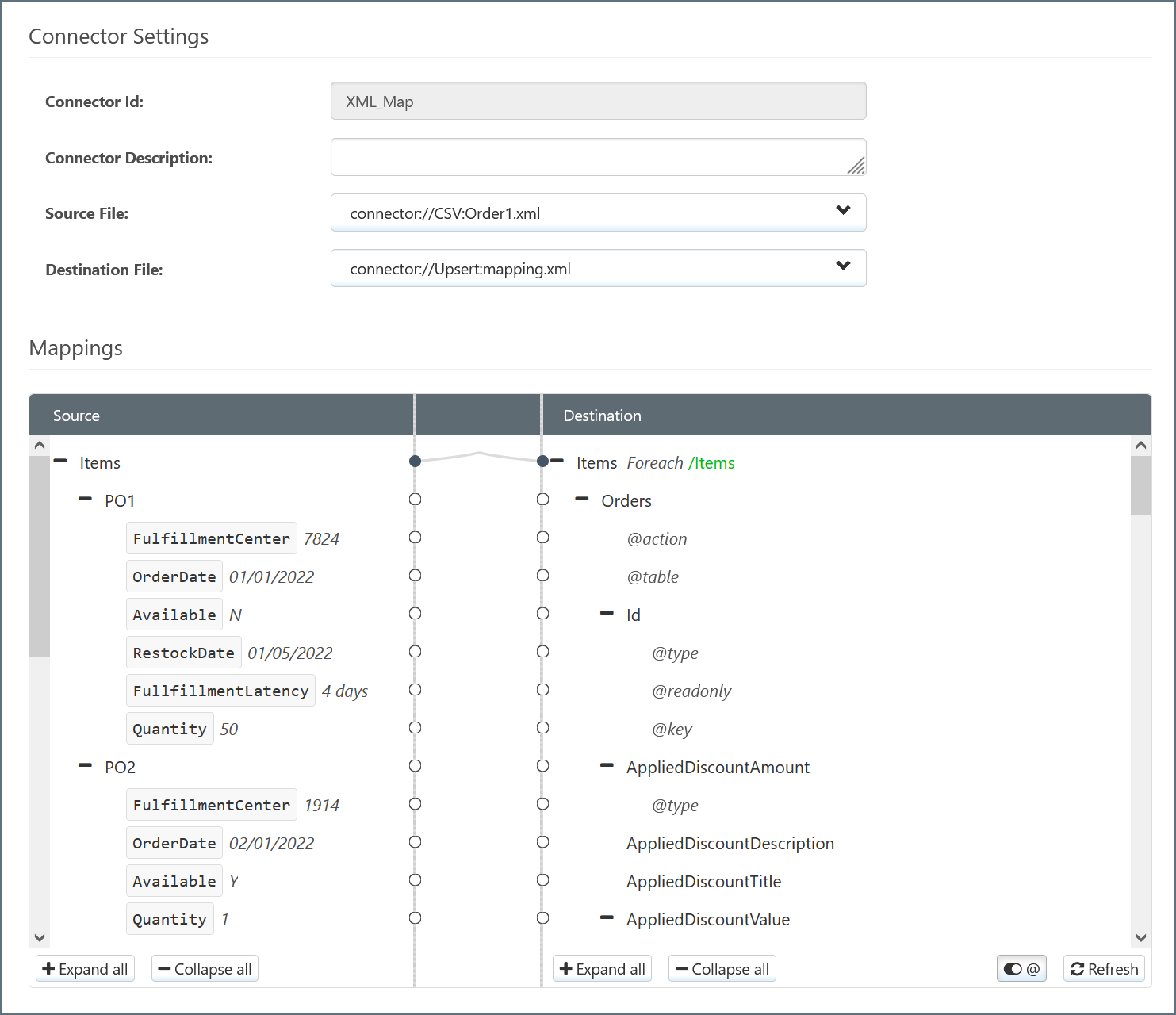
- XML_Map 端口嘗試自動將 源 元素對映到具有相同名稱的 目標 元素。你可以手動更改這些並透過將元素從 源 拖到 目標 來填充空白對映。
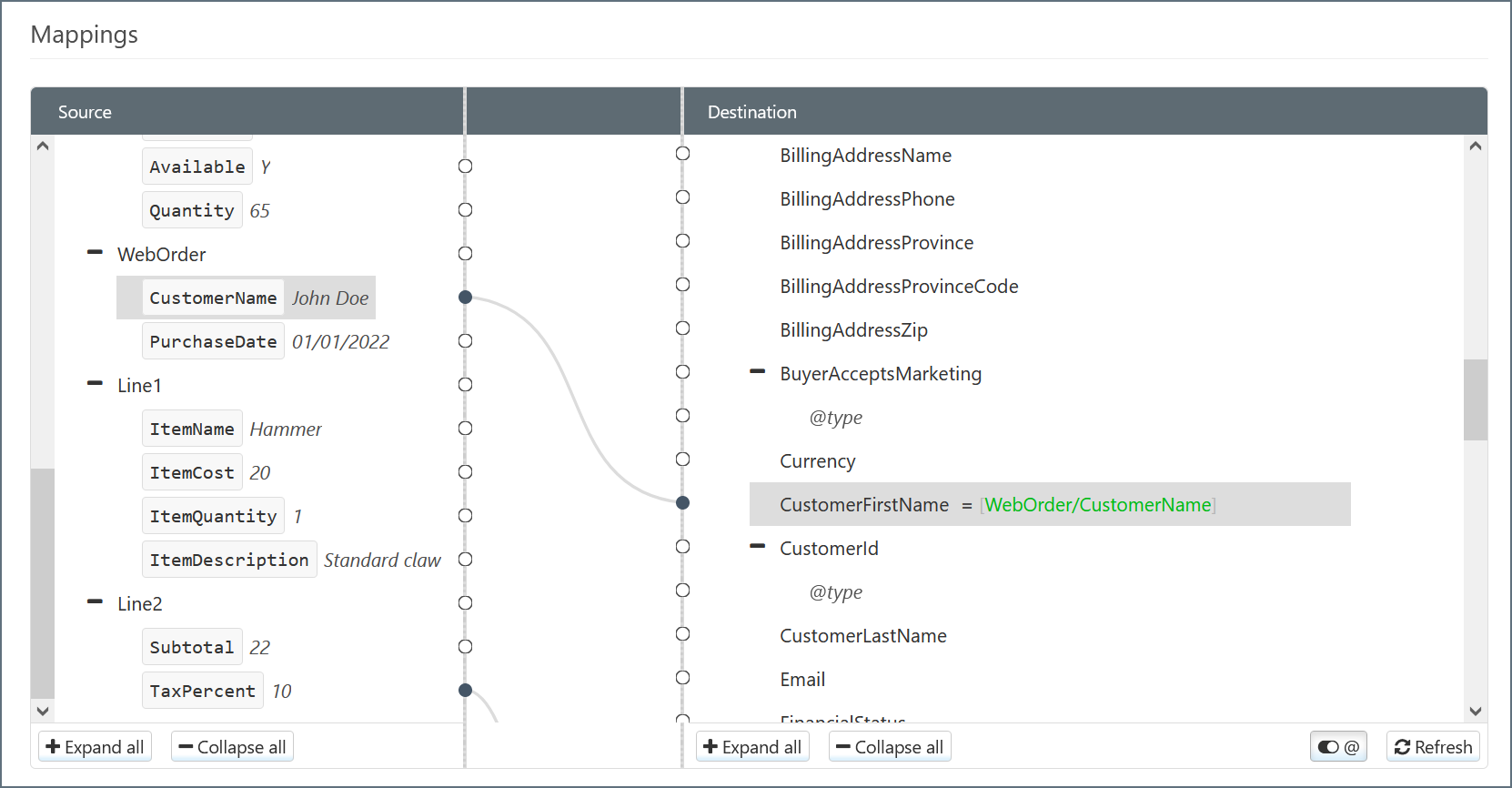
- {datasource}_Upsert 端口根據對映執行 Upsert 並將結果資料傳遞給 {datasource}。
;
export const DbasaUpsertSliderOnIntro = () => 當滑塊設定為 ON 時,查詢行為會根據在 UPSERT By 和 執行此查詢... 選項按鈕中選擇的內容而變化。
;
export const DbasaUpsertQueryBehavior = () => <>
預設情況下,列對映中的 UPSERT 滑塊設定為 ON。這意味著 UPSERT 對映在 INSERT 記錄(如果沒有匹配記錄)或 UPDATE 記錄(如果記錄已存在)之前確定記錄是否存在於目標中。
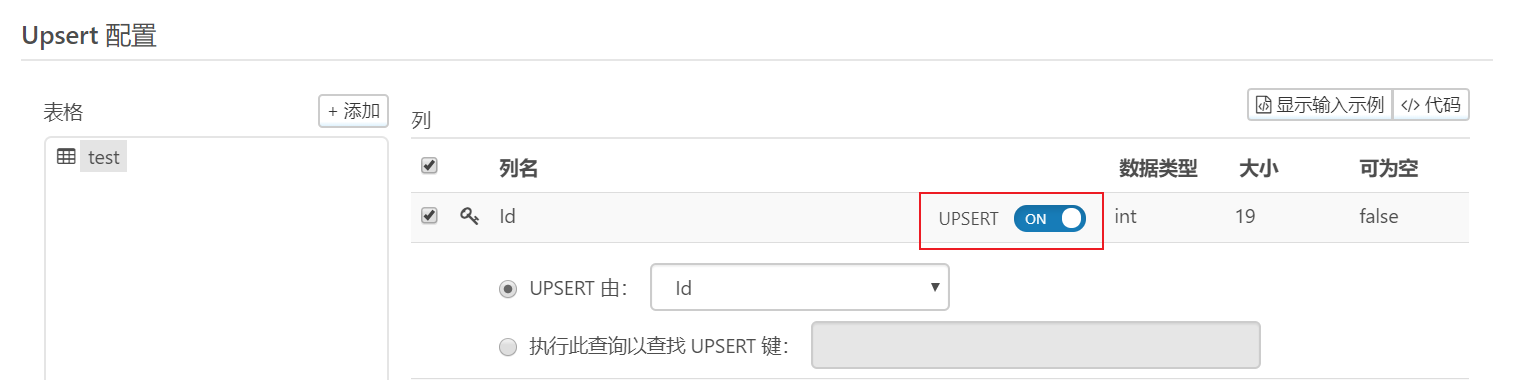
用於確定該值的查詢由以下部分中描述的邏輯確定。
;
export const DbasaUpsertTablesAndColumns = ({datasource = "the data source", connectorSlug}) => <>
如果為 {datasource} 端口選擇 Upsert,則必須從 {datasource} 中選擇一個(或多個)目標表。單擊 表格 面板上方的 新增 按鈕。
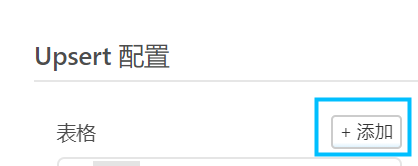
一個模態框出現並列出所有可用的表格。選擇所需的表並單擊 新增。
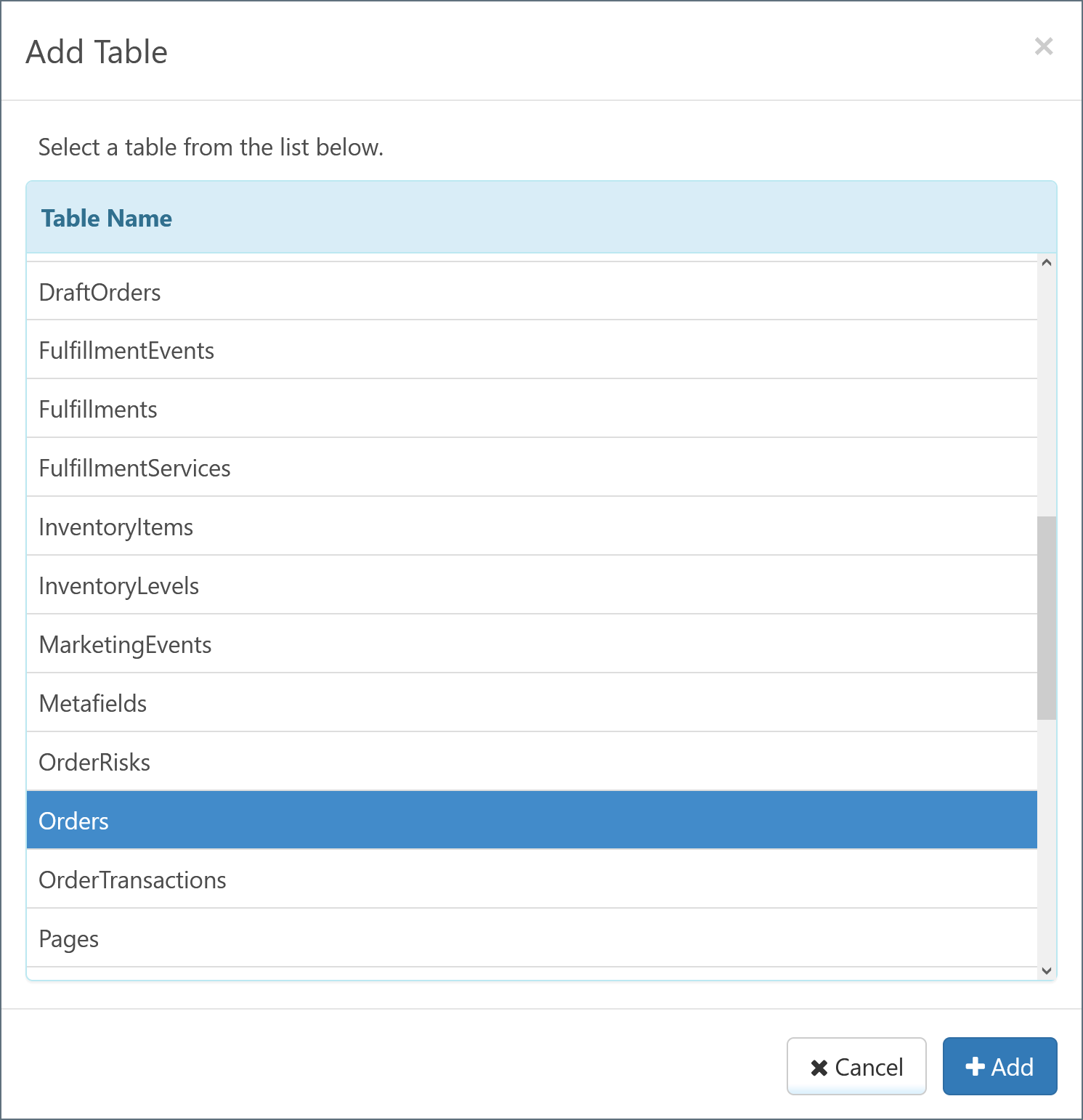
選定的表出現在 表格 面板下,表中的列出現在 列 面板下。端口會自動檢測具有特殊相關性的值(例如主索引鍵和外部索引鍵)並相應地標記它們。
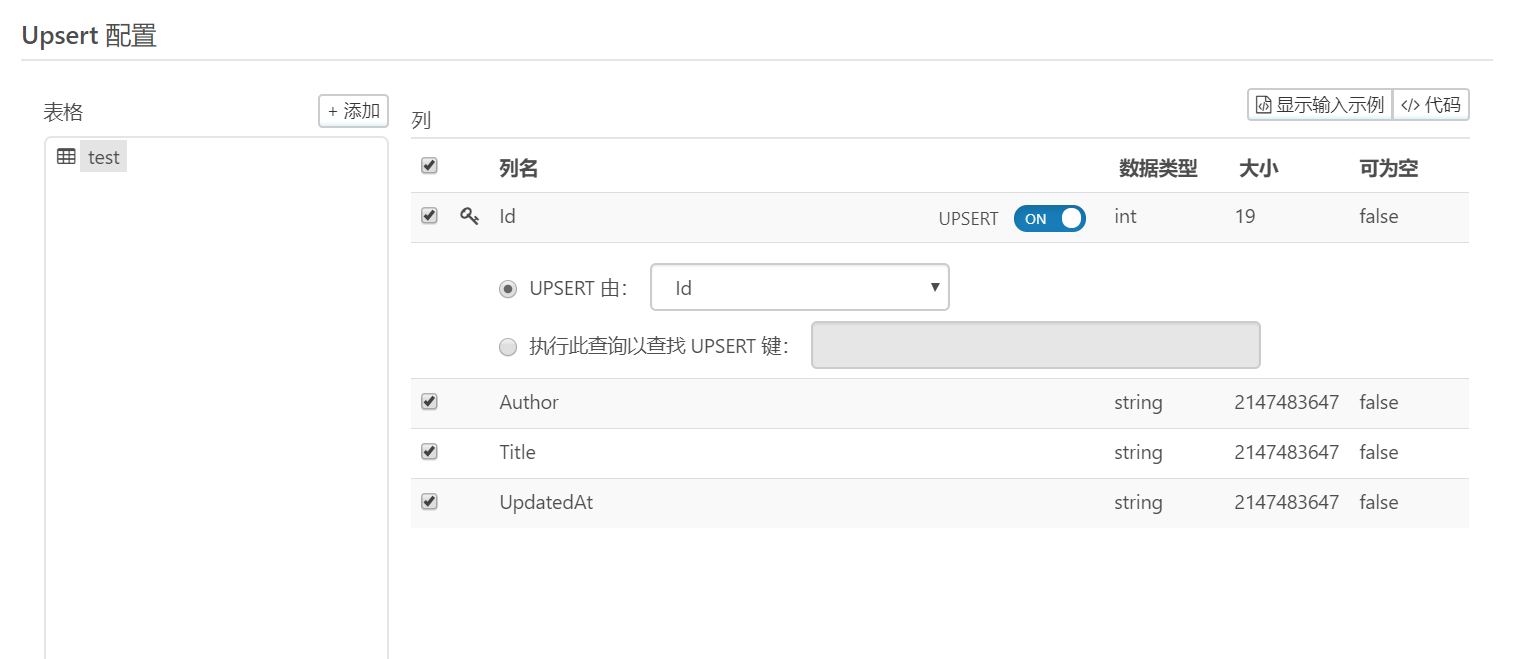
預設情況下,所有列都被選中以包含在 {datasource} 端口的操作中。你可以透過取消選中來刪除單個列。
你可以透過單擊 新增 並重復此過程來選擇更多表。有關詳細資訊,請參閱 子表。
;
export const DbasaUpsertIntro = ({datasource = "the data source"}) => Upsert 操作插入或更新 {datasource} 資料。預設情況下,如果 {datasource} 中已存在記錄,則使用輸入提供的值對 {datasource} 中的現有資料執行更新。有關詳細資訊,請參閱 UPSERT 查詢行為。
;
## 表格和列
## UPSERT 查詢行為
### UPSERT 滑塊設定為 ON
#### 按 ID UPSERT
如果輸入 XML 中存在鍵列,則會向資料庫發出查詢以確定是否存在具有匹配鍵的任何記錄:
```text theme={null}
The action type is UPSERT and an UPSERT query is not specified. The key column [Id] is present and will be determined using an automatically generated UPSERT query.
SELECT COUNT(*) AS [count] FROM [Orders] WHERE [Id] = @Id; @Id='123'
```
匹配結果更新;沒有匹配結果導致插入。
如果輸入 XML 中不存在鍵列,則始終插入記錄:
```text theme={null}
The key column Id was not specified, INSERT will be executed.
The action type is UPSERT or an UPSERT query is specified. The key column is not present. Record will be INSERTED.
```
#### 按非鍵列 UPSERT
透過選擇表的主索引鍵,向資料庫發出查詢,以確定是否存在所選 **UPSERT By** 列包含匹配值的記錄:
```sql theme={null}
SELECT [Id] FROM [Orders] WHERE [OrderId] = @OrderId; @OrderId='12345'
```
SELECT 查詢始終以 SELECT 語句中表的鍵列為目標。如果匹配成功,則輸入 XML 中的資料將更新到資料來源中。如果沒有匹配,則插入記錄。
如果輸入中未指定所選的 **UPSERT By** 列,則查詢將與 NULL 值一起使用,如以下查詢所示:
```sql theme={null}
SELECT [Id] FROM [Orders] WHERE [OrderId] = @OrderId; @OrderId=NULL
```
#### 使用自定義查詢
還可以編寫自定義查詢來選擇 UPSERT 鍵。此選項允許使用比單列匹配更復雜的邏輯來執行查詢。考慮以下查詢:
```sql theme={null}
SELECT [Id] FROM [Orders] WHERE [OrderId] = @OrderId AND Status = 'Active'
```
在此範例中,必須選擇表的鍵列,以便為 UPDATE 提供足夠的條件。`@OrderID` 語法用於引用匹配輸入 XML 中的值。還可以使用靜態值:`'Active'` 周圍的引號表示該子句使用靜態值。
同樣,鍵列的成功匹配用於形成更新請求。如果沒有匹配,則插入記錄。
當對資料庫插入的行為有疑問時,請檢視 UPSERT 嘗試的 `.log` 檔案:用於指導該行為的邏輯的完整細分將傳送到日誌檔案。
### UPSERT 滑塊設定為 OFF
當滑塊設定為 **OFF** 時,端口只需將所有查詢插入資料庫即可。檢查輸入對映的程式碼檢視顯示錶的 `action` 屬性是 `insert`:
```xml theme={null}
```
無論主索引鍵是否存在,向表發出的所有查詢都被視為插入。要根據表更新所有收到的記錄,可以將此操作關鍵字設定為 `update`,如以下程式碼片段所示:
```xml theme={null}
```
當操作定義為 `update` 時,應用程式期望表的鍵列(例如 Id)存在。如果未提供鍵列,則 UPDATE 命令的效果可能會因目標資料庫型別而異,因此可能會看到更改的行數比預期多,或者根本沒有更改。
\##知行之橋工作流程範例