> ## Documentation Index
> Fetch the complete documentation index at: https://docs.kasoftware.com/llms.txt
> Use this file to discover all available pages before exploring further.
# 网络访问
> 如何在知行之桥中配置基于 IP 的访问限制以及受信任/禁止的 IP 范围。
export const siteNameShort = "知行之桥";
export const siteName = "知行之桥";
这些网络访问设置为 {siteName} 提供额外的安全性。如果某个 IP 地址被禁止,它将完全无法访问应用程序(对应用程序、帮助和系统 API 页面的登录访问将被拒绝)。{siteNameShort} 根据以下优先级列表允许访问受保护的资源:
1. 全局禁止
2. 用户禁止
3. 用户允许
4. 全局允许
5. 默认禁止
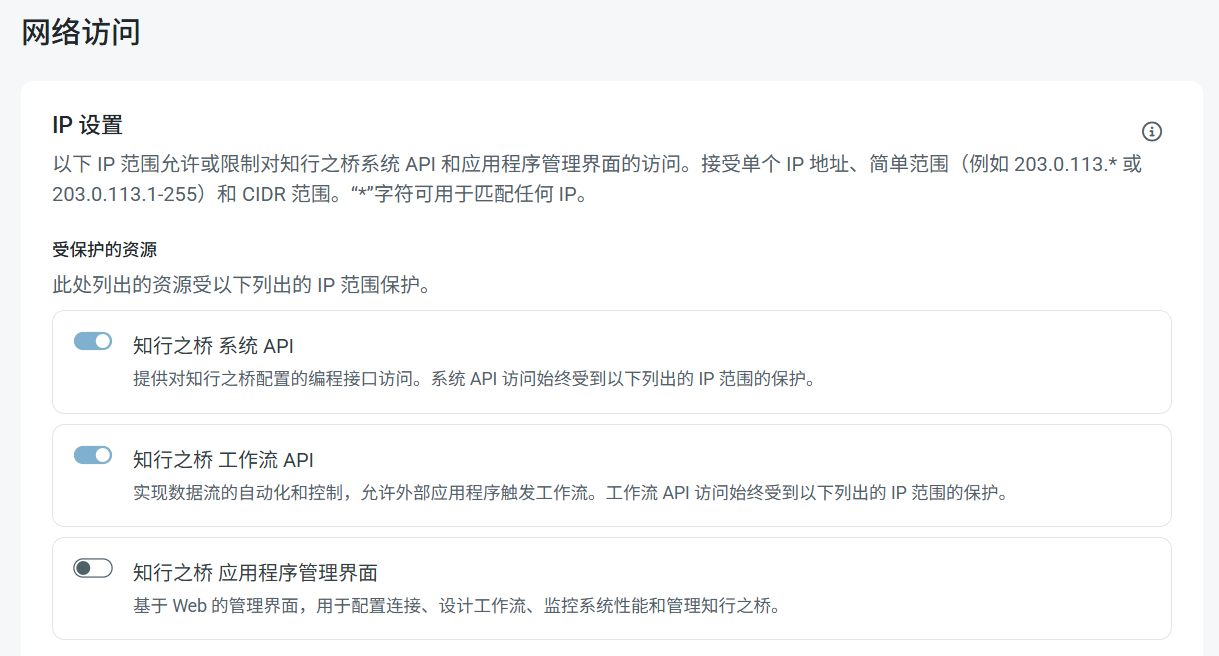 可以在**受保护的资源**列表中看到,**系统 API**和**工作流 API**始终受到保护,并且无法更改此设置。使用**应用程序管理界面**开关来保护管理界面。
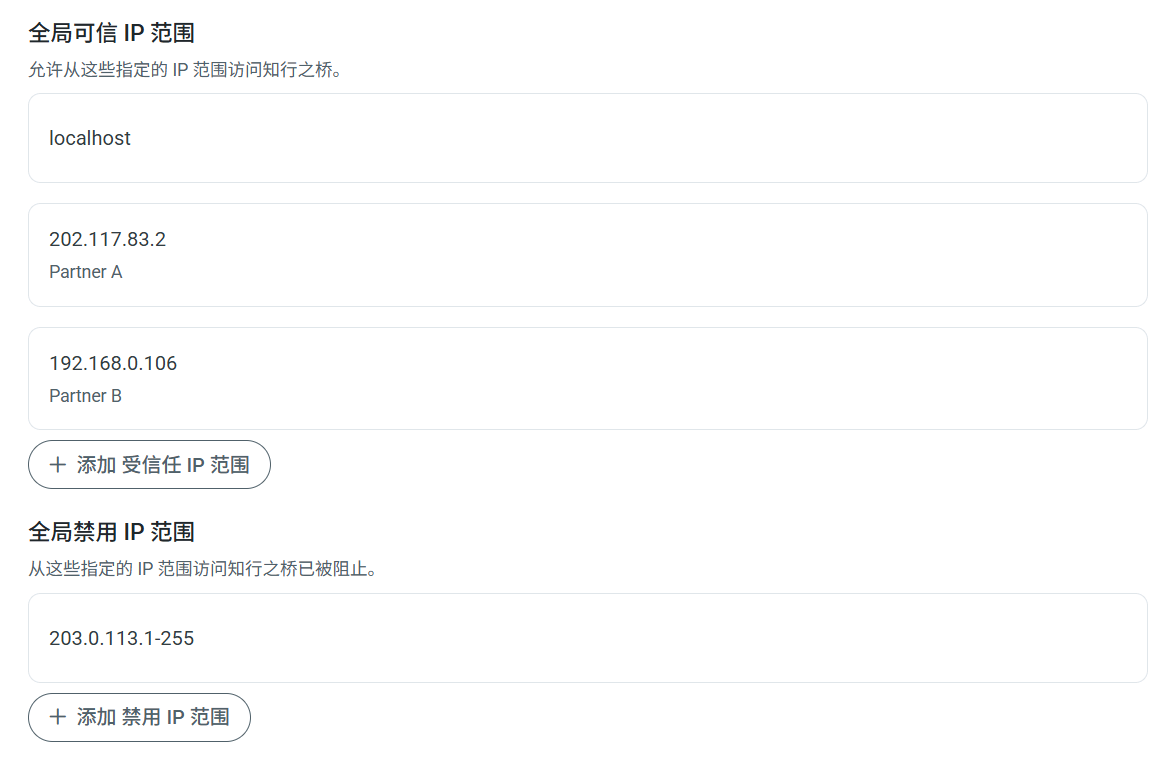 使用**添加受信任 IP 范围**和**添加禁止 IP 范围**按钮来允许或禁止特定的 IP 范围。可以提供单个 IP 地址、简单范围(例如 `203.0.113.*` 或 `203.0.113.1-255`),或无类别域间路由 (CIDR) 范围。要编辑现有范围,请将鼠标悬停在该范围上,点击省略号,然后点击**编辑**。
由于此设置可能导致你无法访问应用程序,因此应用程序会检测何时可能发生这种情况,并且不允许你保存更改。
使用**添加受信任 IP 范围**和**添加禁止 IP 范围**按钮来允许或禁止特定的 IP 范围。可以提供单个 IP 地址、简单范围(例如 `203.0.113.*` 或 `203.0.113.1-255`),或无类别域间路由 (CIDR) 范围。要编辑现有范围,请将鼠标悬停在该范围上,点击省略号,然后点击**编辑**。
由于此设置可能导致你无法访问应用程序,因此应用程序会检测何时可能发生这种情况,并且不允许你保存更改。