> ## Documentation Index
> Fetch the complete documentation index at: https://docs.kasoftware.com/llms.txt
> Use this file to discover all available pages before exploring further.
# 个人设置页面
> 如何在知行之桥中为 AS2、AS4、SFTP Server、OFTP 及其他协议配置全局端口个人设置。
export const siteNameShort = "知行之桥";
export const siteName = "知行之桥";
某些端口需要先配置个人设置,然后才能建立连接。此个人设置包含 {siteName} 全局使用的交易伙伴连接设置。这些设置通常包括将您的公司指为实体的标识符和私有证书。**个人设置** 页面上的设置表示在所有连接中保持不变的值。
以下端口需要个人设置。单击链接可访问端口的配置详细信息:
* HTTP
* [AS2](../../connectors/as2#profile-configuration)
* [AS4](../../connectors/as4#profile-configuration)
* [GISB](../../connectors/gisb#profile-configuration)
* [RosettaNet](../../connectors/rnif#profile-configuration)
* Servers
* [FTP Server](../../connectors/ftp-server#profile-configuration)
* [HL7 MLLP](../../connectors/hl7mllp#profile-configuration)
* [OFTP](../../connectors/oftp#profile-configuration)
* [SFTP Server](../../connectors/sftp-server#profile-configuration)
## 个人设置配置
**个人设置** 页面分为两个部分:**HTTP** 和 **服务器**。HTTP 包括通过 HTTP 协议发送和接收流量的端口的个人设置。服务器包含通过不同协议发送和接收流量的端口的个人设置(例如,SFTP 服务器使用 SSH 协议)。
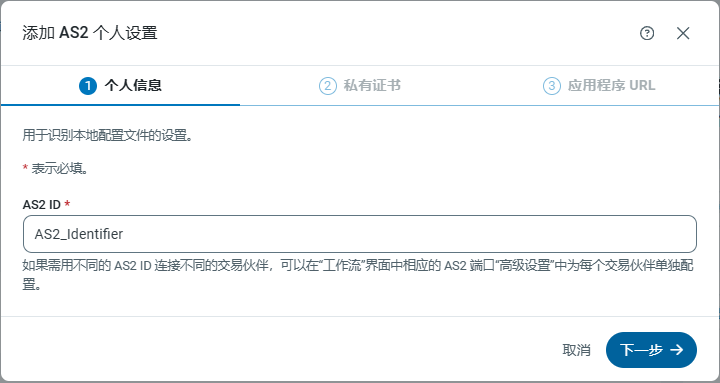
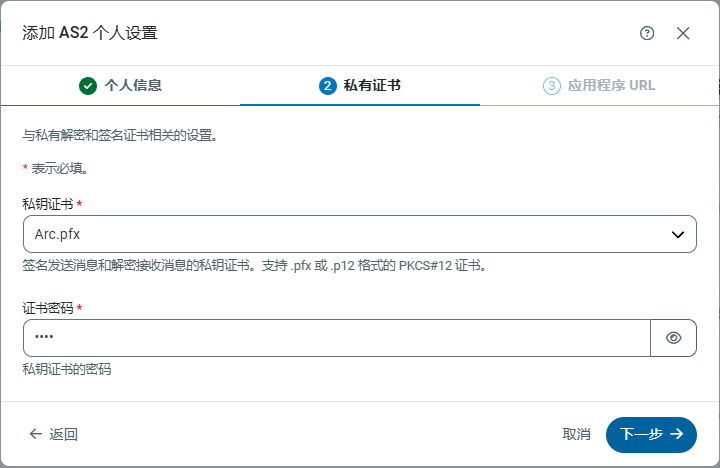
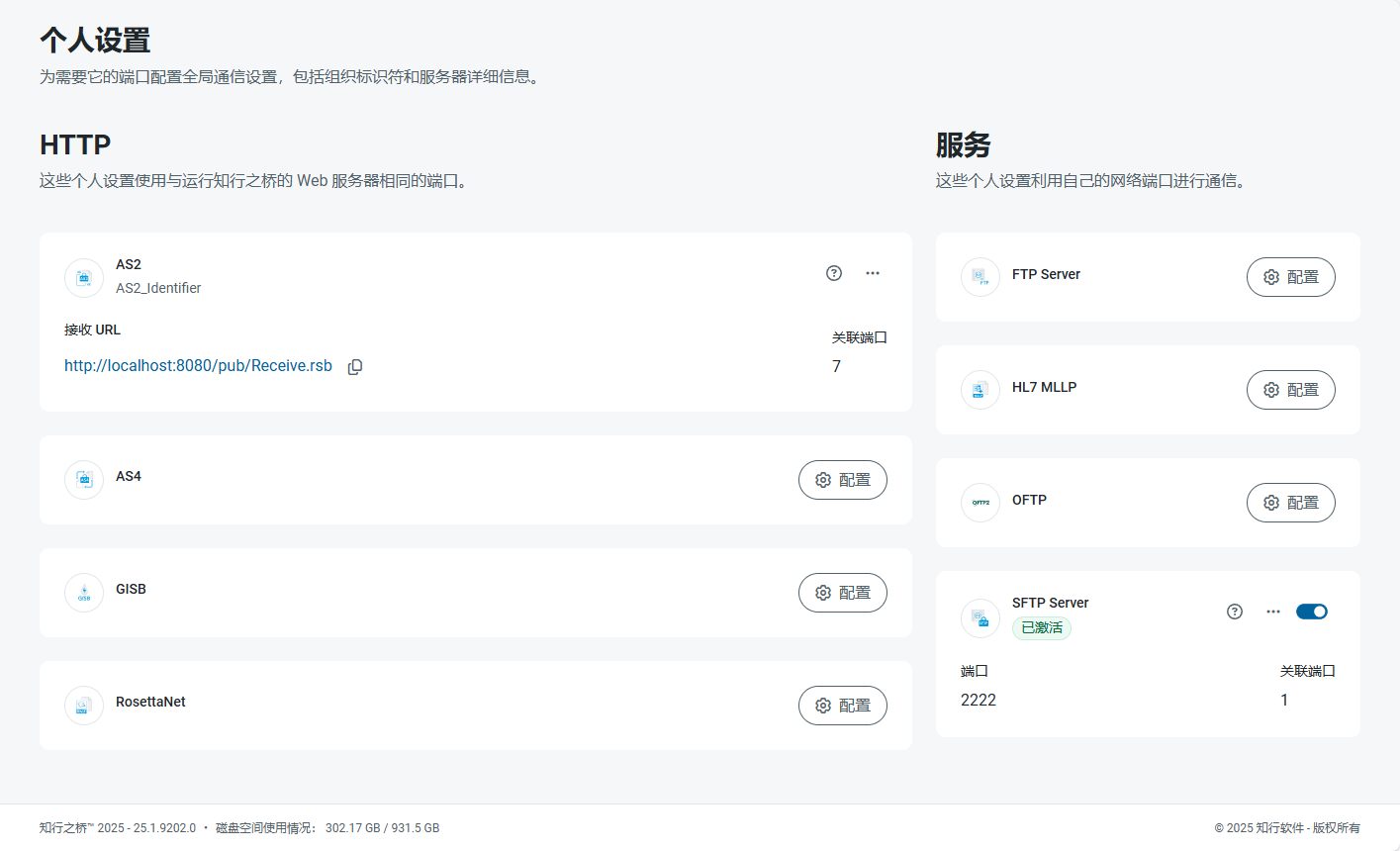 如果之前没有配置过个人设置,请点击卡片上的 **配置** 按钮,以指导完成配置所需的每个步骤。例如,配置 AS2 个人设置有三个步骤:
1. 提供 AS2 标识符。
如果之前没有配置过个人设置,请点击卡片上的 **配置** 按钮,以指导完成配置所需的每个步骤。例如,配置 AS2 个人设置有三个步骤:
1. 提供 AS2 标识符。
 2. 定义私有证书。
 3. 定义应用程序 URL。
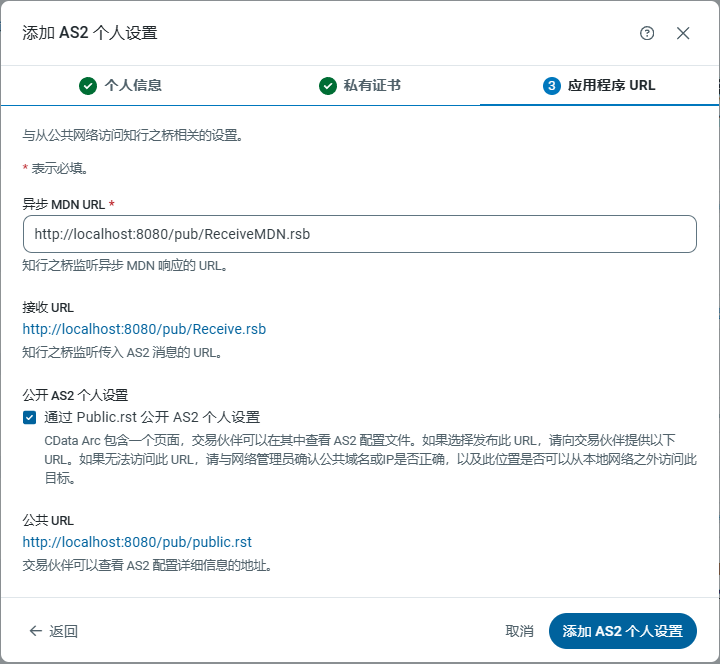 要编辑现有个人设置,请单击卡片上的省略号并选择 **编辑**。
配置个人设置后,个人设置摘要卡片上将显示相关详细信息,包括标识符、URL、端口以及使用该个人设置的端口数量。单击指向端口数量的链接可查看端口名称列表。从那里,您可以单击指向单个端口的链接以跳转到其在 [工作区](../../flows/workspaces) 中的位置。
## 个人设置详细信息
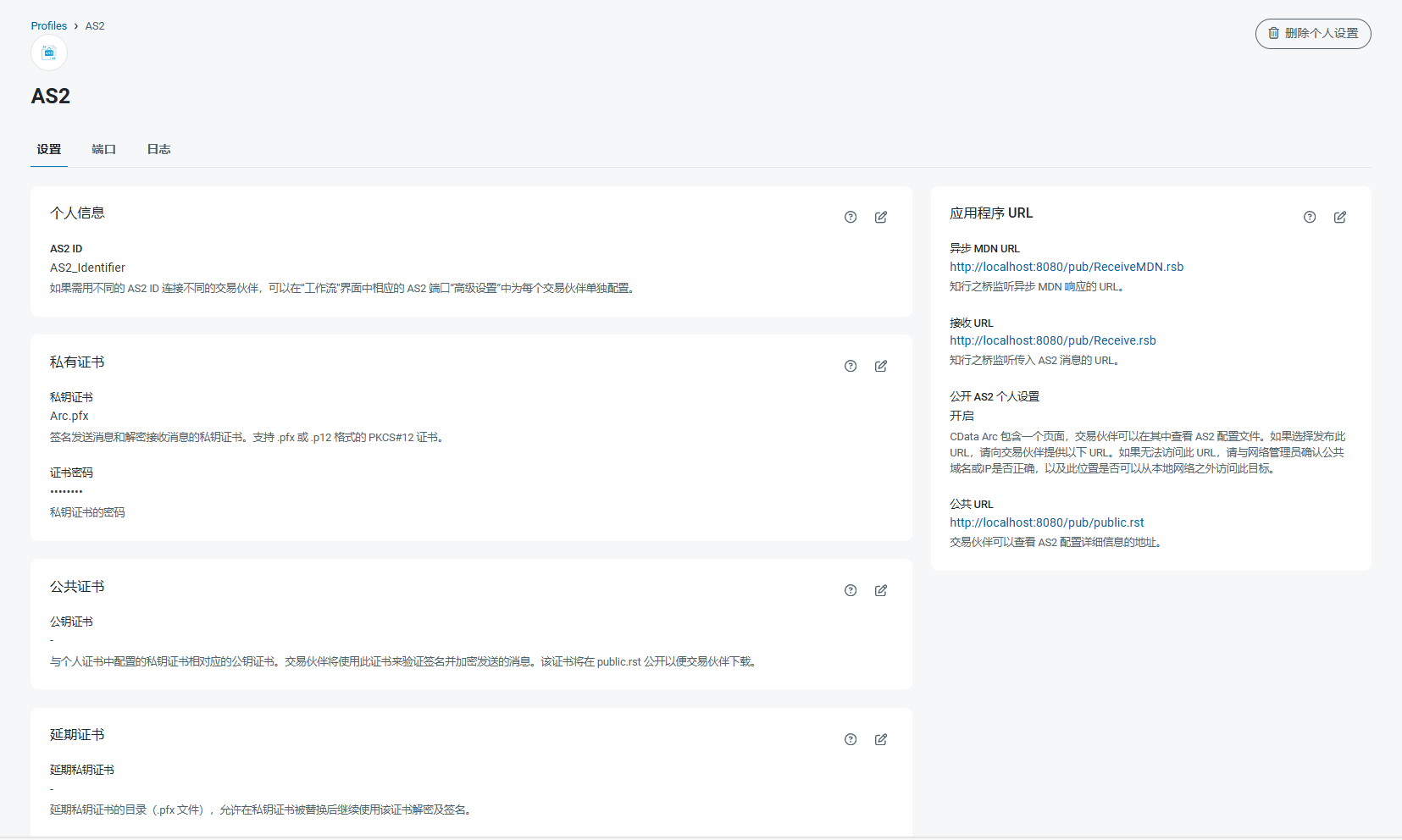
要查看个人设置的详细信息,请单击其卡片上的省略号并选择 **编辑**。每个个人设置都有 **设置**、**端口** 和 **日志** 的选项卡。下图使用 AS2 端口,但每个个人设置的原理相同。
**设置** 选项卡包含所有个人设置,分为多个卡片。每张卡片都显示有关特定设置的详细信息,以及它们用途的摘要。单击编辑图标可编辑任何卡片的值。使用问号图标打开该设置的文档,或使用垃圾桶图标删除该设置的值。
要编辑现有个人设置,请单击卡片上的省略号并选择 **编辑**。
配置个人设置后,个人设置摘要卡片上将显示相关详细信息,包括标识符、URL、端口以及使用该个人设置的端口数量。单击指向端口数量的链接可查看端口名称列表。从那里,您可以单击指向单个端口的链接以跳转到其在 [工作区](../../flows/workspaces) 中的位置。
## 个人设置详细信息
要查看个人设置的详细信息,请单击其卡片上的省略号并选择 **编辑**。每个个人设置都有 **设置**、**端口** 和 **日志** 的选项卡。下图使用 AS2 端口,但每个个人设置的原理相同。
**设置** 选项卡包含所有个人设置,分为多个卡片。每张卡片都显示有关特定设置的详细信息,以及它们用途的摘要。单击编辑图标可编辑任何卡片的值。使用问号图标打开该设置的文档,或使用垃圾桶图标删除该设置的值。
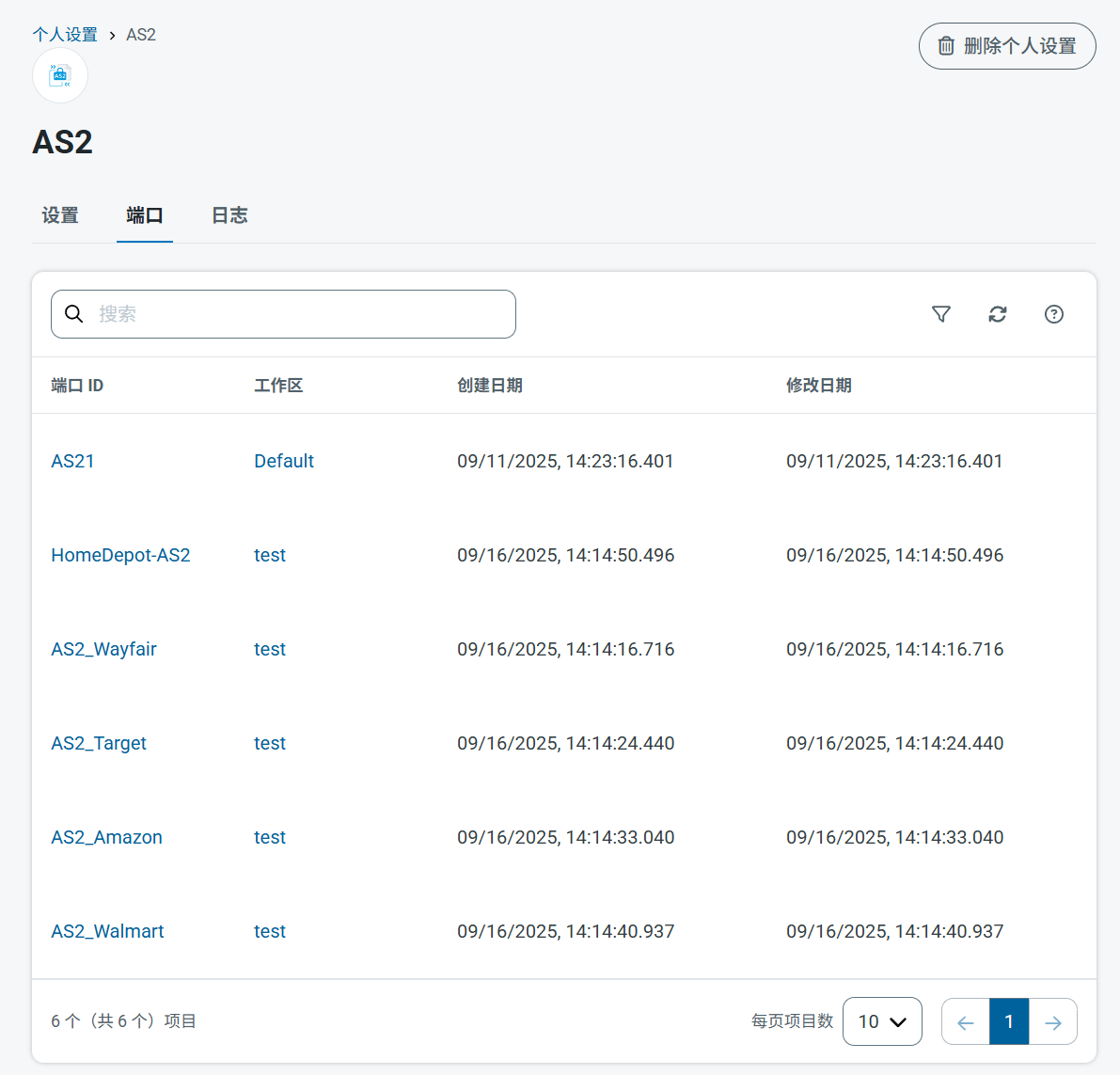
 **端口** 选项卡显示使用该个人设置的所有端口的列表,包括创建和修改日期,以及端口的链接以及它所在的工作区。
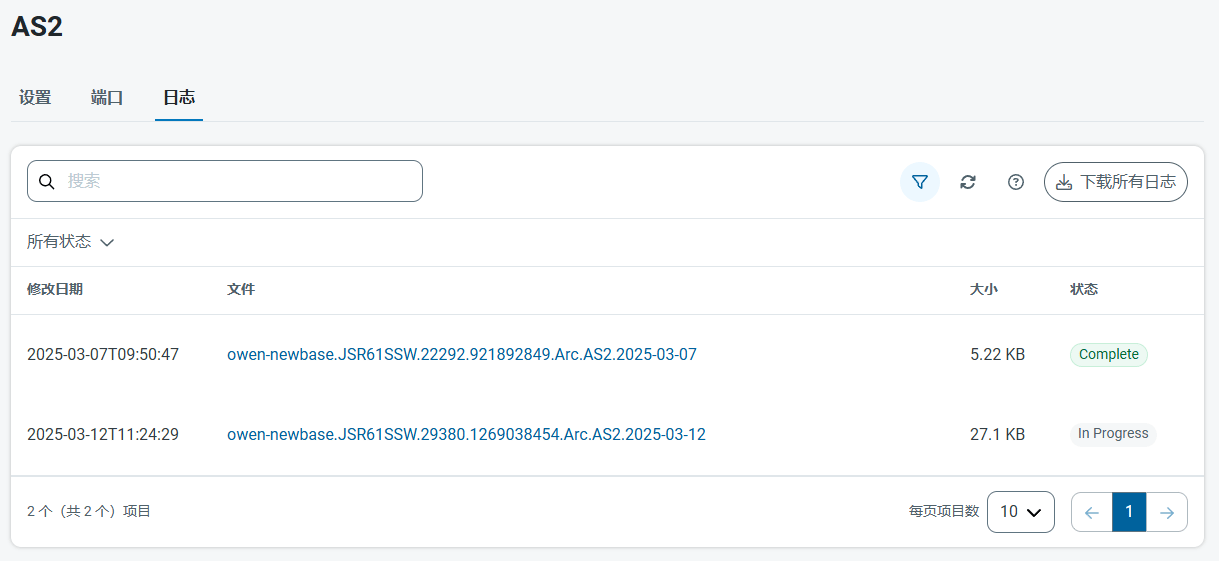
 **日志** 选项卡显示个人设置的服务日志列表。单击文件名链接可打开日志文件的详细信息。**状态** 列指示轮换日志文件的状态。**进行中** 表示这是服务当前正在写入的日志。**完成** 表示日志不再更新。