> ## Documentation Index
> Fetch the complete documentation index at: https://docs.kasoftware.com/llms.txt
> Use this file to discover all available pages before exploring further.
# BigCommerce 执行存储过程配置
> 使用存储过程处理知行之桥消息中的数据,并将结果传递到流程下游。
export const DbasaESP = ({datasource = "the data source", siteName = "知行之桥"}) => {
return <>
执行存储过程操作将进入 {datasource} 端口的数据视为存储过程的输入,然后它执行您所选择的存储过程并将结果向下传递(如果适用)。
按照以下步骤配置存储过程:
-
从下拉菜单中选择一个存储过程。可用的存储过程取决于端口,不能在 {siteName} 中进行自定义。
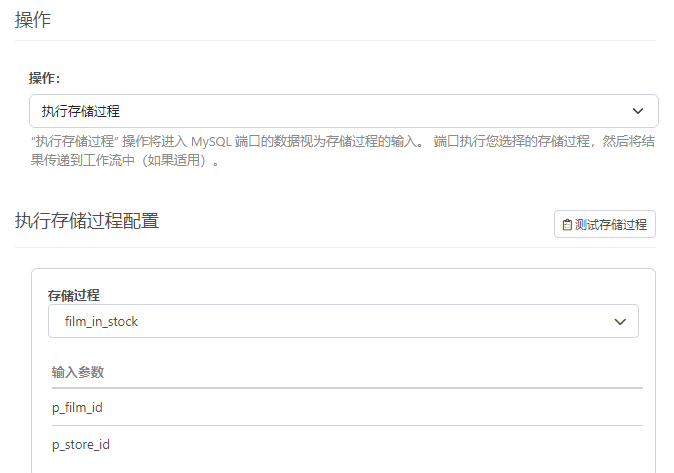 可以查看存储过程的输入和输出参数,以及任何返回值(如果适用)。
-
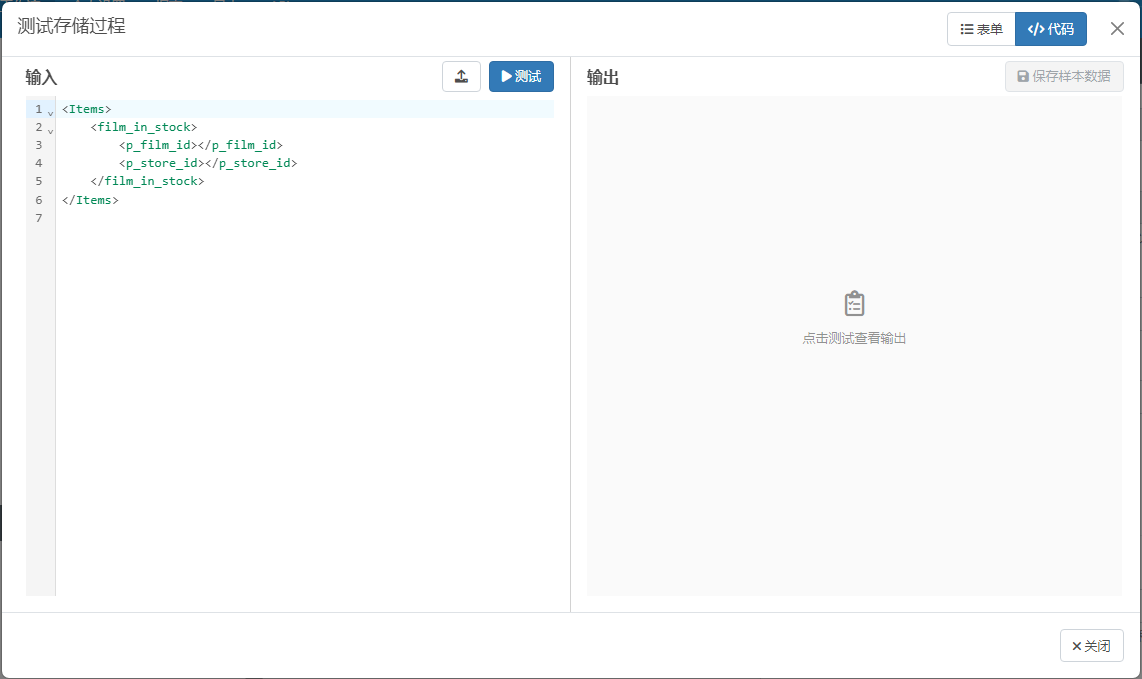
单击 测试存储过程 以查看输入 XML 的结构应是什么样子。
-
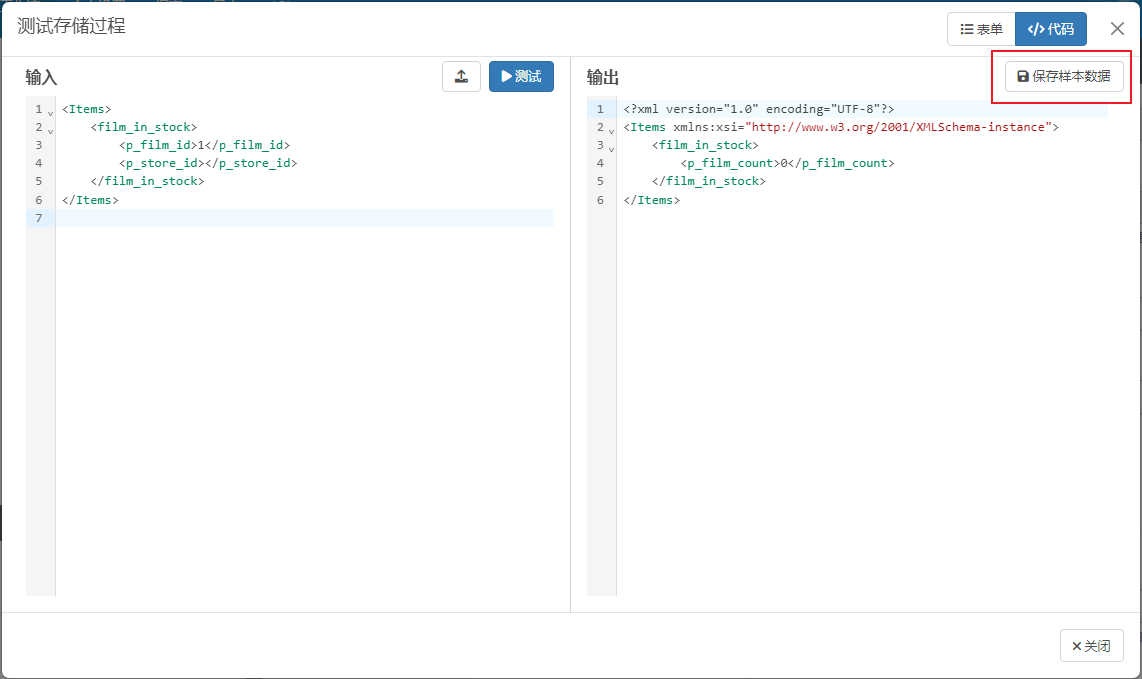
完成 输入 参数并单击 测试 以查看将生成什么输出。当您对测试结果感到满意时,可以单击 保存示例数据 以使其他端口可以访问数据。
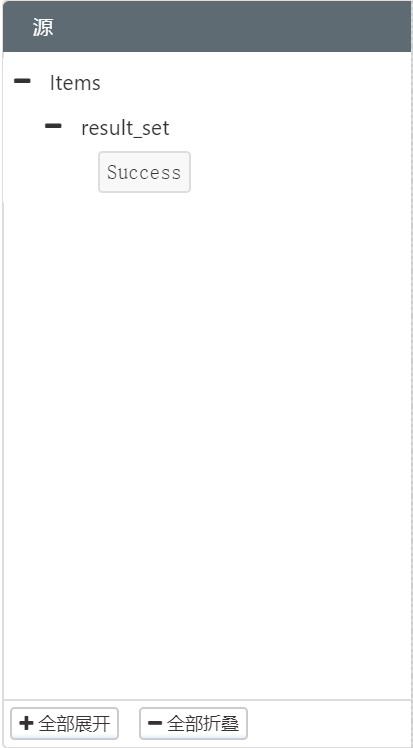
您可以将 {datasource} 端口连接到 XML Map 端口。执行存储过程的结果显示为 源文件 树下的输入。
 ;
};
;
};